
Confetti Snake
Snake, played on a cross-stitch pattern. The food is confetti: the lone stitches scattered through a chart made from a photo. Eat as many as you can before you hit the edge or your own tail.
Arrow keys or WASD on a computer, swipe or the arrows on a phone. Space pauses.
Find Play Snake in the app
Open any pattern in the editor. Snake lives in the confetti tool, next to the button that fixes confetti the boring way.
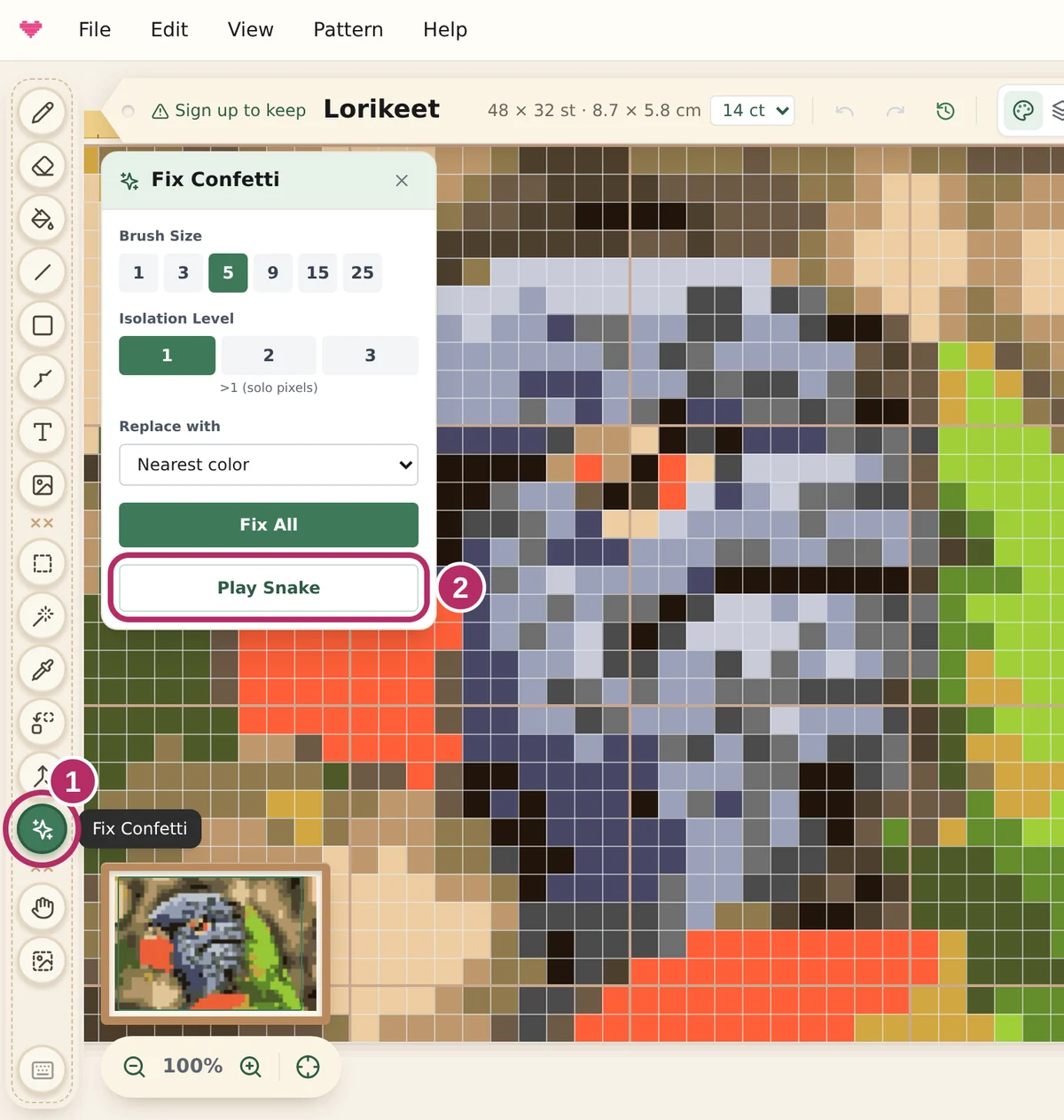
On a computer
- Pick the confetti tool, the sparkle icon in the tool bar on the left.
- Press Play Snake in the Fix Confetti panel, right under Fix All.
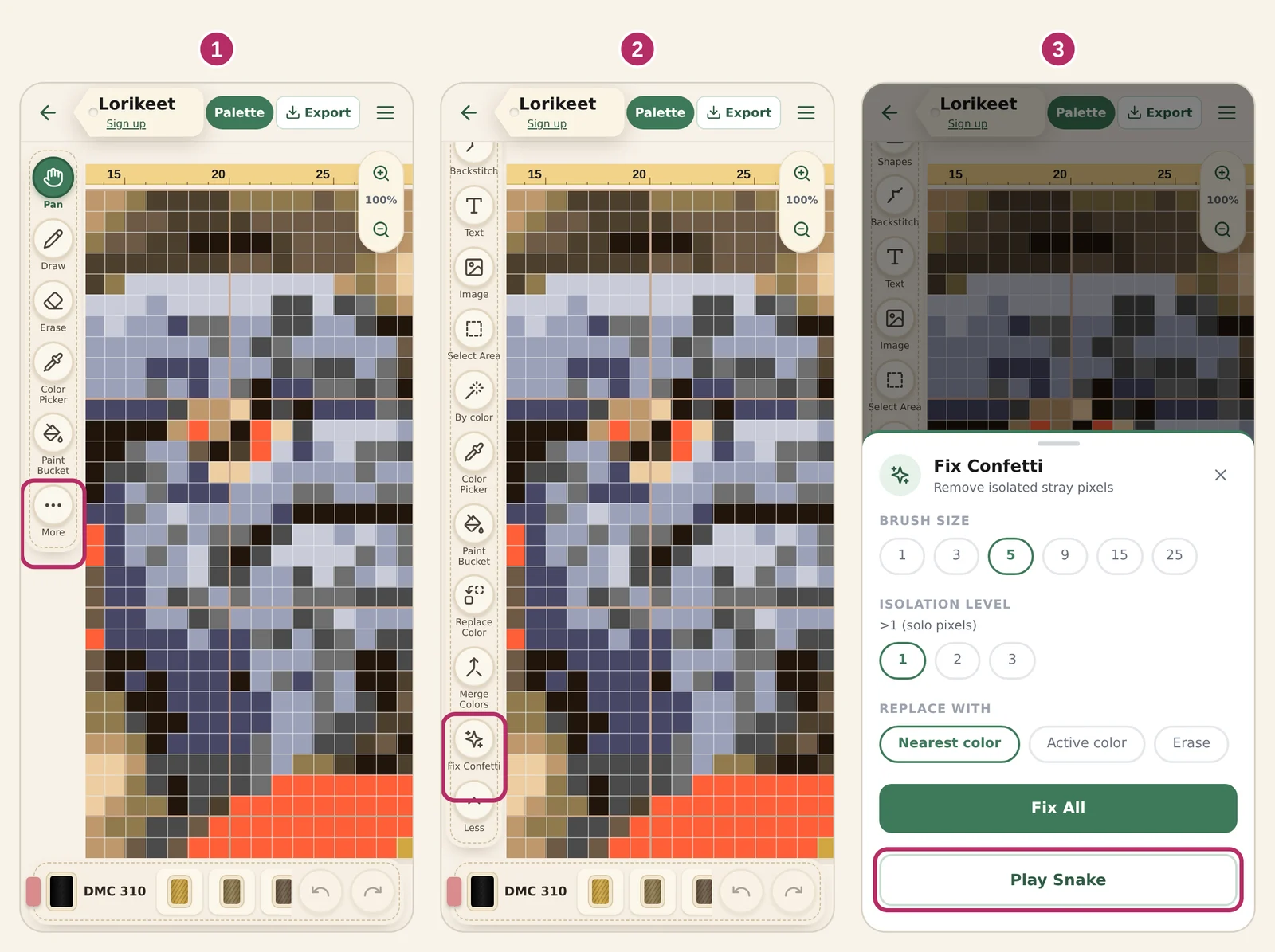
On a phone
- Tap More at the bottom of the tool roll.
- Tap Fix Confetti.
- Tap Play Snake at the bottom of the sheet.
Just converted a photo? The tidy-up bar at the top of the editor has an or play Snake link too.
What is confetti?
In cross stitch, confetti are single stitches of a colour with no neighbour of the same colour. Each one means starting a thread, making one cross and finishing the thread again, so a chart full of them is slow and fiddly to stitch.
Photos make lots of confetti, because every fleck of light and shadow becomes its own colour. Knytstudio cleans them up when it converts a photo, and the editor's confetti tool fixes the rest with one click. Or with one game.
Play it on your own pattern
Turn a photo into a cross-stitch pattern, open the confetti tool and press Play Snake. Every confetti stitch the snake eats is removed from your pattern, if you say yes at the end.
Turn a photo into a pattern