
Edit your patterns by asking ChatGPT
Knytstudio works with ChatGPT's built-in browser. Open a pattern, say what you want changed, and ChatGPT makes the edit in the editor while you watch: swap threads, add a border, merge look-alike colours, resize, rename. Every change is one Undo step.
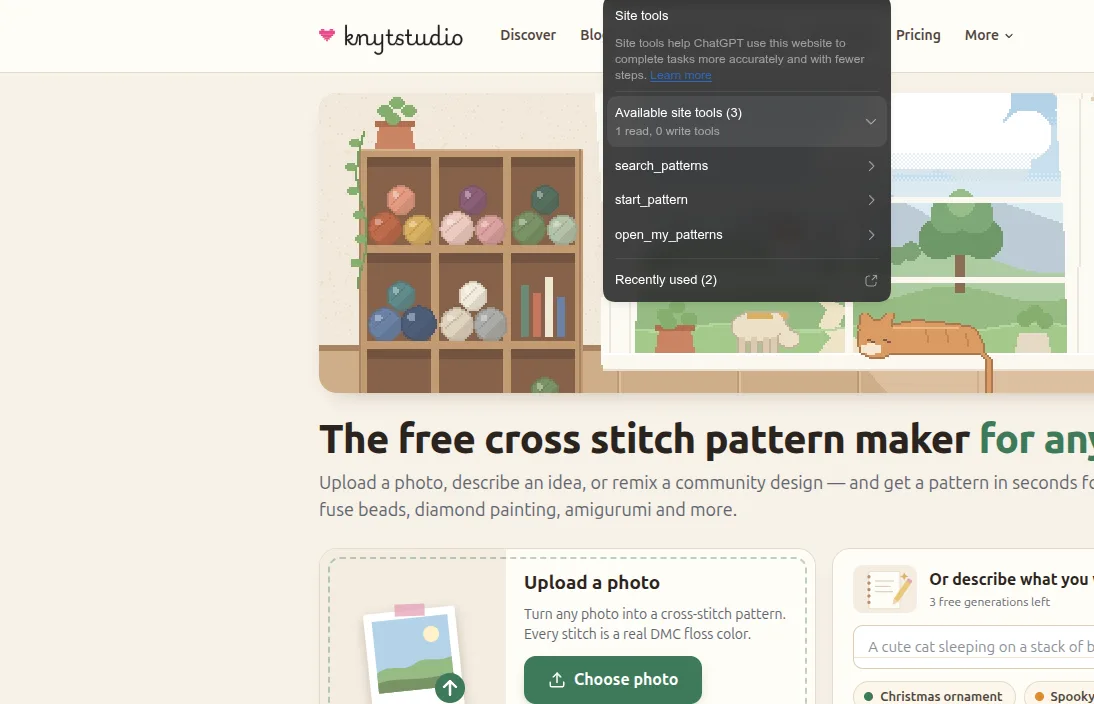
ChatGPT's browser lists the tools Knytstudio offers on each page.
How it works
Open Knytstudio in ChatGPT
In the ChatGPT desktop app, open the built-in browser and go to knytstudio.com. The site-tools icon in the address bar means ChatGPT can use Knytstudio's tools.
Open a pattern
Turn a photo into a pattern, start a blank chart, or open one of your saved patterns. ChatGPT can find and open them for you.
Ask for the change
ChatGPT reads the chart and its threads, makes the edit, and you see it on the chart straight away. Not what you wanted? Press Undo.
Things to ask
Thread codes and colour names both work. For cross stitch, needlepoint and diamond painting every colour is a real thread: ask for a shade DMC doesn't make and Knytstudio picks the nearest thread and says which one.
“Replace DMC 321 with a darker red.”
Every stitch of that thread changes in one go.
“Add a two-stitch border in DMC 310 around the whole pattern.”
ChatGPT reads the chart size and paints the border.
“This pattern has 41 colours. Merge the ones that look almost the same.”
Fewer threads to buy, one Undo to take it back.
“Make it 120 stitches wide and keep the bottom edge where it is.”
The chart is resized around the edge you name.
“Clear the background behind the cat.”
ChatGPT reads the chart and erases the cells you mean.
“Remove the colours nothing uses, and rename it Autumn Fox.”
Palette and title, tidied.
“Find my fox pattern and open it.”
On your dashboard, ChatGPT finds and opens your saved patterns.
“Show me Halloween patterns.”
The Discover page opens with the results, and ChatGPT sums them up.
Point at what you mean
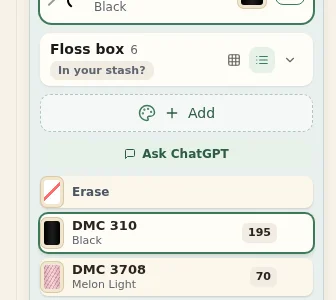
ChatGPT's browser has an annotation mode: click something on the page and write a note about it. In Knytstudio every thread in the palette is a named target, so when you click "DMC 3708 Melon Light" and write "make this warmer", ChatGPT knows exactly which thread you mean and how many stitches use it.
Inside ChatGPT's browser the palette also has an Ask ChatGPT button with a suggested prompt about your colour scheme. Other browsers don't show it.
What ChatGPT can do on each page
Every page of knytstudio.com
- Search the community patterns by words, tag and craft, and show the results on the Discover page
- Start a new pattern from a photo, from a description, or as a blank chart
- Open your dashboard
Your dashboard
- List and search your saved patterns
- Open a pattern in the editor
- Start a new pattern
The pattern editor
- Read the pattern: size, craft, every thread with its code and stitch count
- Read the chart, row by row
- Look up DMC and Anchor threads, or Hama and Perler beads, by code, name or colour
- Paint and erase stitches
- Replace a colour everywhere, or merge several colours into one
- Add colours to the palette and remove unused ones
- Resize the chart, rename the pattern, switch the view
- Undo and redo
- Open the PDF export for you to download
You stay in charge
- Every change happens in the open editor, where you can see it, and is saved like your own edits.
- Every change is one normal Undo step.
- ChatGPT works with your login in that browser, so it can only change patterns you can change. Read-only patterns stay as they are, and nothing changes while the stitch tracker is open.
- Downloads stay your step: ChatGPT can open the PDF export, and you choose and download.
For developers and AI assistants
Knytstudio implements WebMCP: every page registers its tools with document.modelContext.registerTool, with read-only tools marked as such. The tools of each page are listed in /.well-known/webmcp.json, and llms.txt describes the site.
Frequently asked questions
Make a pattern, then ask for changes
Turn a photo into a cross stitch pattern for free, then open it in ChatGPT's browser and shape it by asking.
Open Knytstudio