
Design your own amigurumi, get the pattern written for you
Start with an animal or create your own component shapes. Edit the outline, add colour changes across rounds, and preview your creation in 3D. Get crochet instructions with stitch counts, shaping and assembly notes.
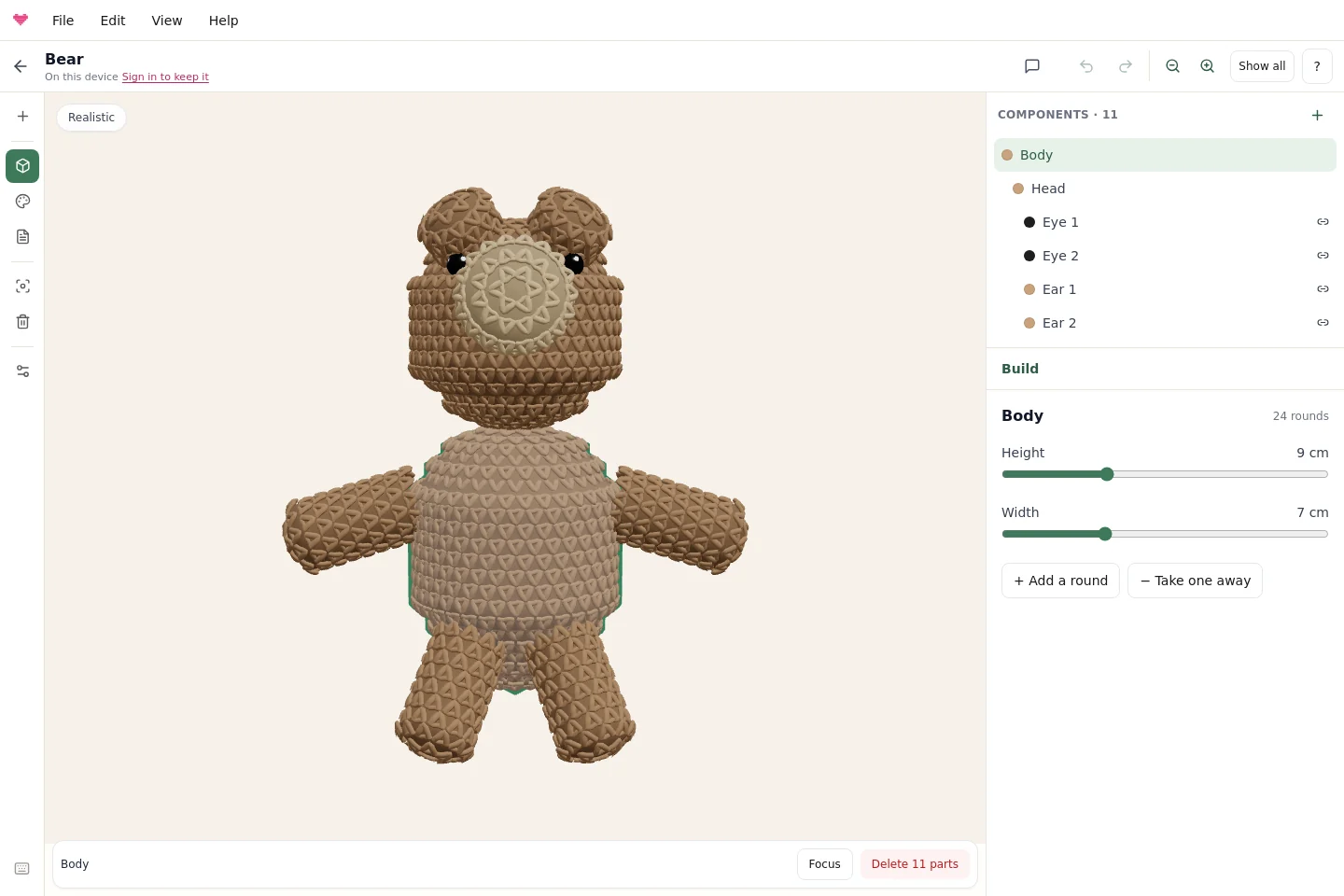
Explore the current workspace
A captioned walkthrough using real editor screenshots: select components, add pieces, paint a stripe, read the pattern, set gauge and inspect a custom curve. Watch with the full text walkthrough.
How it works
Start from an animal, or a body
Choose a bear, bunny or cat, or create from your own components. Add ready-made parts and custom recipes in a dedicated browser, then select each piece in the model or component list.
Make it yours
Use Build to shape and position components. Switch to Colour to paint whole pieces or exact round ranges. Enter measured gauge in project settings to improve the size estimate.
Read the pattern
The Pattern tab writes every part in US terms with the stitch count after each round, "make 2" for pairs, stuffing notes, and assembly notes that say which round each piece is sewn to. Copy it or print it.
Written the way crocheters expect
6, 12, 18, 24
Standard round shapes grow and shrink in six-stitch steps, with repeated rounds between changes. Custom sections let you control the recipe and see its resulting outline.
Sized in centimetres, counted in stitches
Use a yarn estimate or enter measured stitches and rounds per 10 cm. Custom recipes retain their counts; ready-made parts recalculate counts for their size settings.
Preview and pattern share a recipe
The model and written instructions use the same crochet rounds. The surface is an estimate: your yarn, tension and stuffing affect the finished shape, so test a sample.
Assembly included
"Sew the arms to the body at round 9, on opposite sides." Where you dragged a part is where the notes tell you to sew it.
Free patterns to start from
Three animals written by the designer, with every round and the assembly notes. Open any of them in the designer to change the proportions and get a fresh pattern.
Learn to design your own amigurumi
Follow a complete editor tour, then explore the part of your design you want to improve.
Find your way around the editor
Build, Colour and Pattern, component selection, saving and the phone layout.
Create custom shapes
Shape sections, edit outlines, explore curved tails and reuse component recipes.
Plan colour changes and stripes
Paint exact rounds or scarf rows and check the resulting pattern instructions.
Measure gauge and check size
Enter a measured sample and understand how it affects different component types.
Frequently asked questions
Your first pattern is free
Tap a starter, make it yours, and read a pattern you can crochet from tonight. No account needed to design.
Start designing