
What Is Confetti in Cross Stitch? Remove It in One Click, or With a Game of Snake
Confetti are the lone stitches scattered through a cross-stitch chart. Why they slow you down, how to clean them up, and the Snake game that eats them.
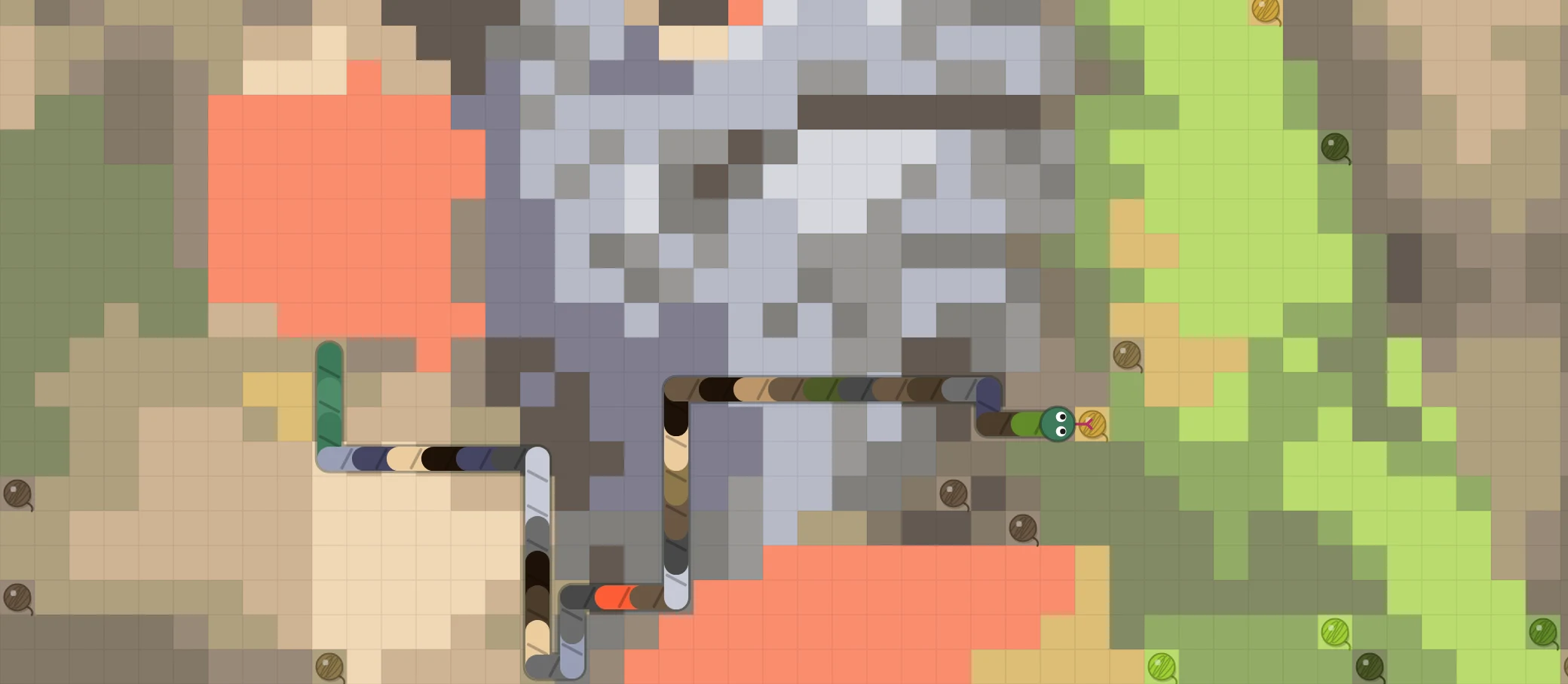
If you’ve turned a photo into a cross-stitch pattern, you’ve met confetti. Not the party kind: single stitches of a colour with no neighbour of the same colour, sprinkled across the chart like crumbs.
Why confetti is a pain
Every confetti stitch is its own little project. You start a thread, make one cross, and finish the thread again, then do it all over a few squares away. A chart full of them takes far longer to stitch than its size suggests, and the back of your work fills up with tails.
Photos make lots of confetti. Every fleck of light, every shadow in a cat’s fur, every feather becomes its own colour, and the converter faithfully keeps them all. (More in our guide to turning a photo into a cross-stitch pattern, and the term itself in the cross stitch glossary.)
How Knytstudio cleans it up
- When you convert a photo, the converter already merges most lone stitches into their neighbours. The detail presets decide how hard it cleans.
- Right after the import, a tidy-up bar tells you how many lone stitches are left and fixes them with one tap.
- The confetti tool in the editor gives you full control:
- Brush over an area to clean just that part.
- Pick an isolation level: single stitches, pairs, or small clusters.
- Choose what each stitch turns into: the nearest colour around it, your active colour, or empty fabric.
- “Fix All” cleans the whole chart at once.
And if you love the detail and would rather stitch the confetti than remove it, the parking method makes it much less painful.
Or play Snake
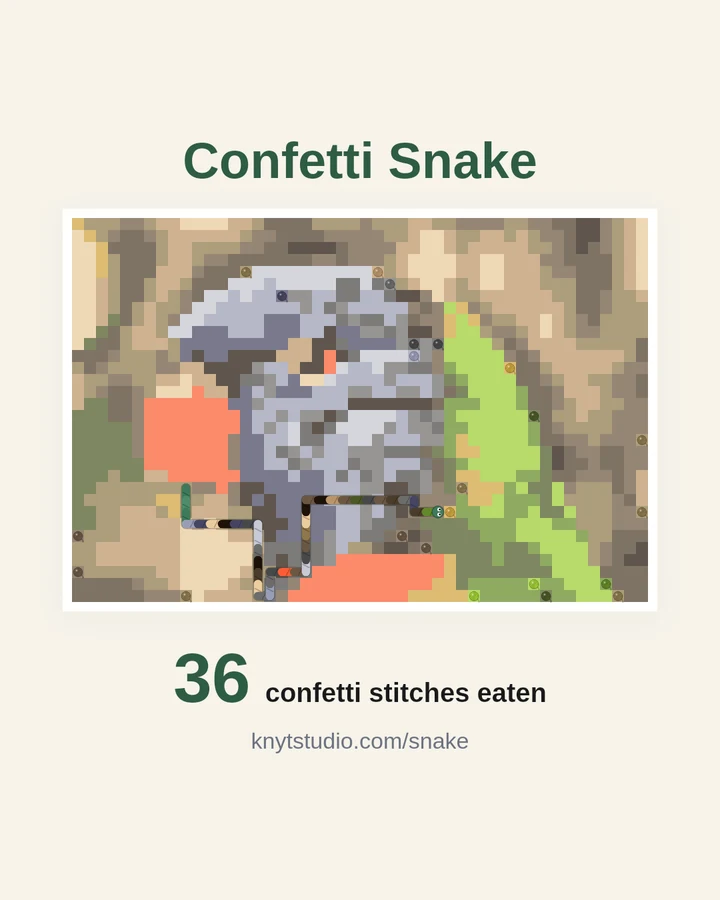
We also did something a little silly. The confetti tool now has a Play Snake button. Your pattern becomes the playing board, every confetti stitch turns into a small ball of yarn, and a yarn snake eats its way through them, taking on the colour of each one. Hit the edge or bite your own tail and the game asks:
Are you sure you want to remove these 34 confetti from your pattern?
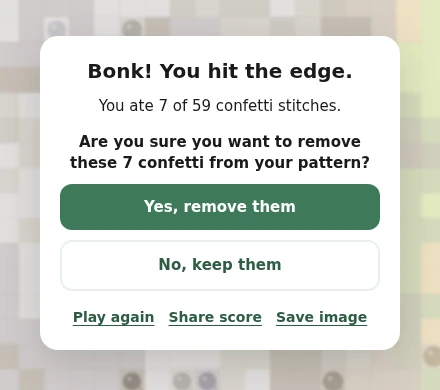
Say yes and exactly the stitches you ate are cleaned up, the same way Fix All would do it, with Undo one click away. Say no and your pattern stays as it was.
Use the arrow keys on a computer, or swipe or tap the arrows on a phone. Space pauses.
Where to find it
Open any pattern in the editor, then:
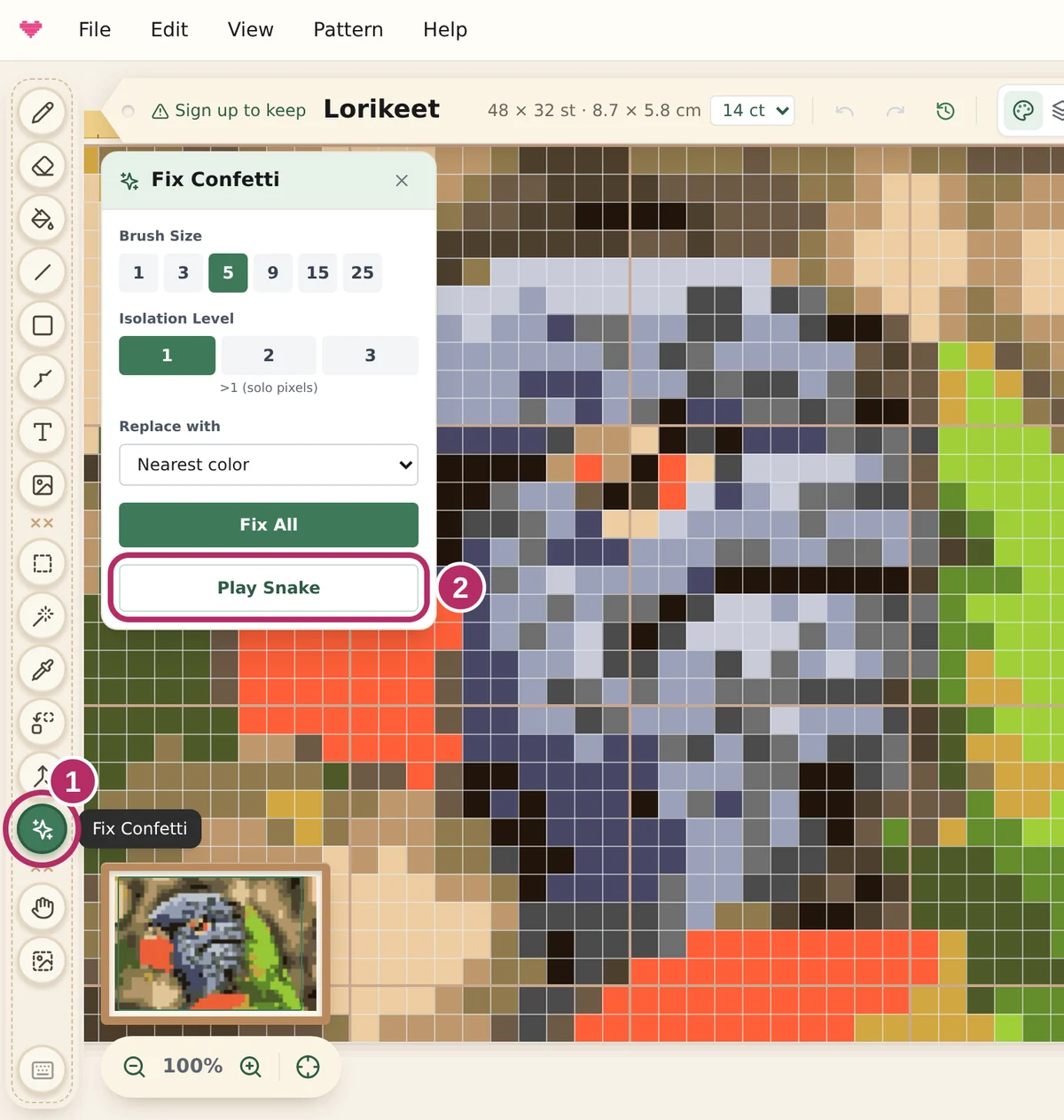
On a computer: pick the confetti tool, the sparkle icon in the tool bar on the left (1). The Fix Confetti panel opens, and Play Snake is right under Fix All (2).
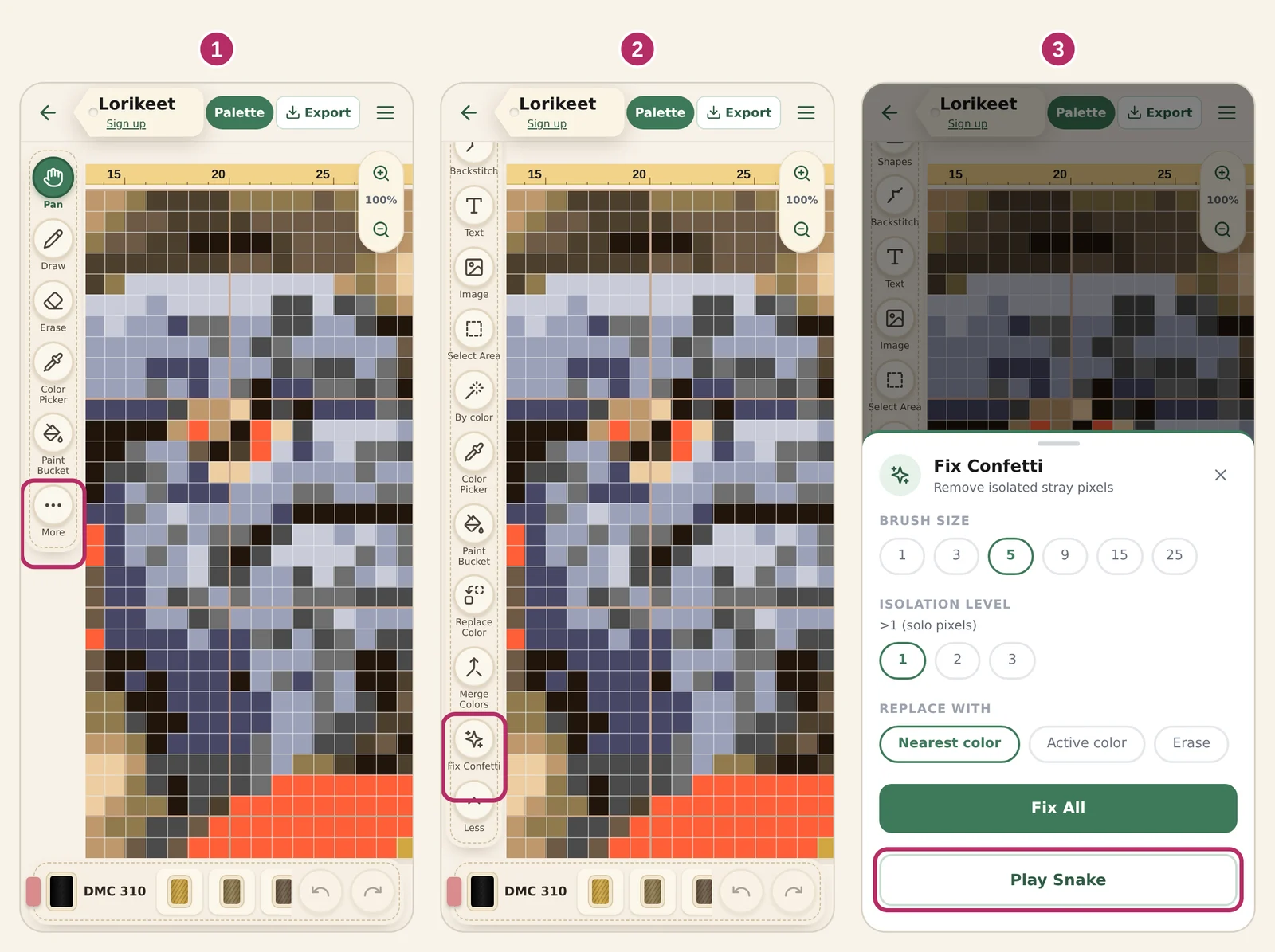
On a phone: tap More at the bottom of the tool roll (1), then Fix Confetti (2), then Play Snake at the bottom of the sheet that opens (3).
Right after a photo import: the tidy-up bar at the top of the editor has an or play Snake link next to the button that fixes lone stitches.
Challenge a friend
At the end, share your score. You get a picture of your pattern with the snake on it, plus a link. Whoever opens the link can play on our sample pattern, a rainbow lorikeet full of confetti, and try to beat your score. No account needed.
Frequently asked questions
What is confetti in cross stitch?
Confetti are single stitches of a colour with no neighbour of the same colour, scattered across a chart like thrown confetti. They are most common in patterns made from photos, where every fleck of light and shadow becomes its own colour.
Why is confetti hard to stitch?
Each confetti stitch means starting a thread, making one cross and finishing the thread again. A chart full of them takes far longer to stitch than its size suggests and leaves the back of the work full of thread tails.
How do I remove confetti from a cross stitch pattern?
In Knytstudio, open the pattern and pick the confetti tool. Brush over an area to clean just that part, or press Fix All to clean the whole chart. You choose how isolated a stitch must be (single stitches, pairs or small clusters) and what it turns into: the nearest colour around it, your active colour, or empty fabric.
What is Confetti Snake?
A game of Snake played on your own pattern. Every confetti stitch is a ball of yarn, the snake eats them, and at the end you decide whether the stitches it ate are removed from your pattern. You can share your score, and anyone can play it at knytstudio.com/snake.