
Canvas & Pattern Work
Progress Tracking
Mark stitches as you go, follow one color or one row at a time, track backstitch, parked threads and knitting rows, and carry on from your phone.
Designing the pattern is half the journey; stitching it is the other half, usually the longer one. Progress tracking turns Knytstudio into your stitching companion: the pattern on your phone or tablet, your place always kept, no highlighter pens on a paper chart.
Starting
Open your pattern and tap Track progress: in the bar above the chart on a computer or tablet, at the top of the menu on a phone. The Stitch button on a pattern card in your projects opens it straight in the tracker.
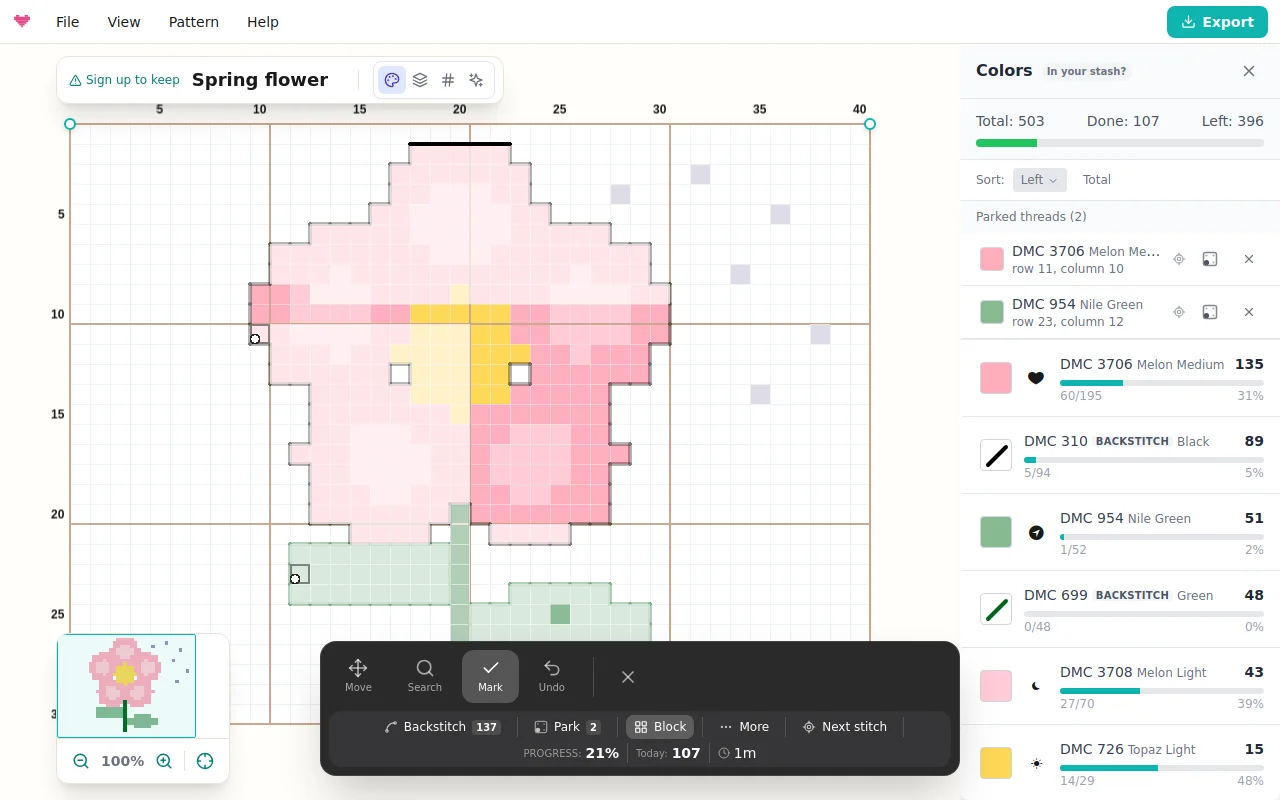
The toolbar at the bottom shows the color you are following and Next stitch on top, then three modes, Undo and Done:
Mark is where you land. Tap a stitch when you have sewn it, or drag across a run of stitches to mark them all. Marked stitches show as done, and one tap on a marked stitch unmarks it.
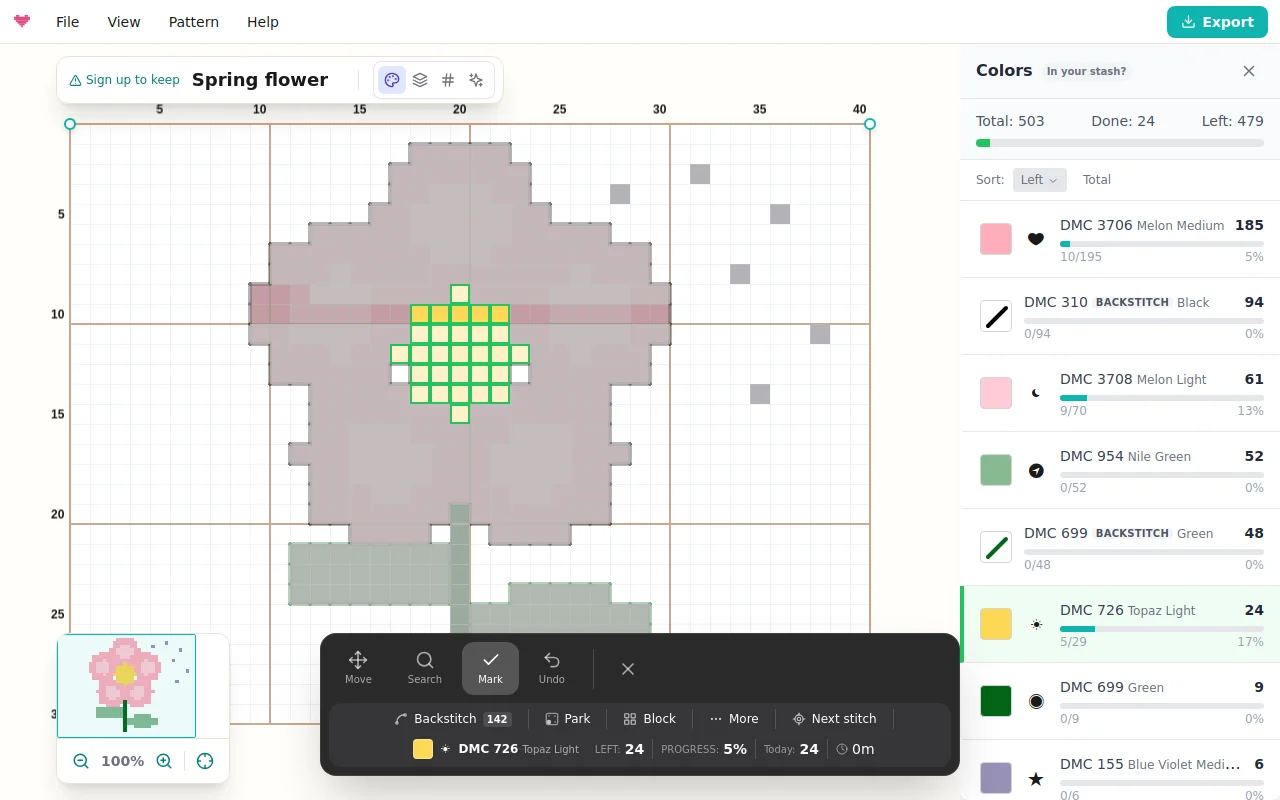
Search identifies threads. Tap any stitch and the toolbar names it (“DMC 310 Black”), the chart highlights every stitch of that color, and the tracker switches to Mark with marking restricted to that color; tap the color in the toolbar to stop following it. Tap a backstitch line to identify its thread the same way.
Move pans and zooms without marking anything. On a phone, a tap on a zoomed-out chart zooms in toward your finger instead of guessing a stitch, so marks land where you meant.
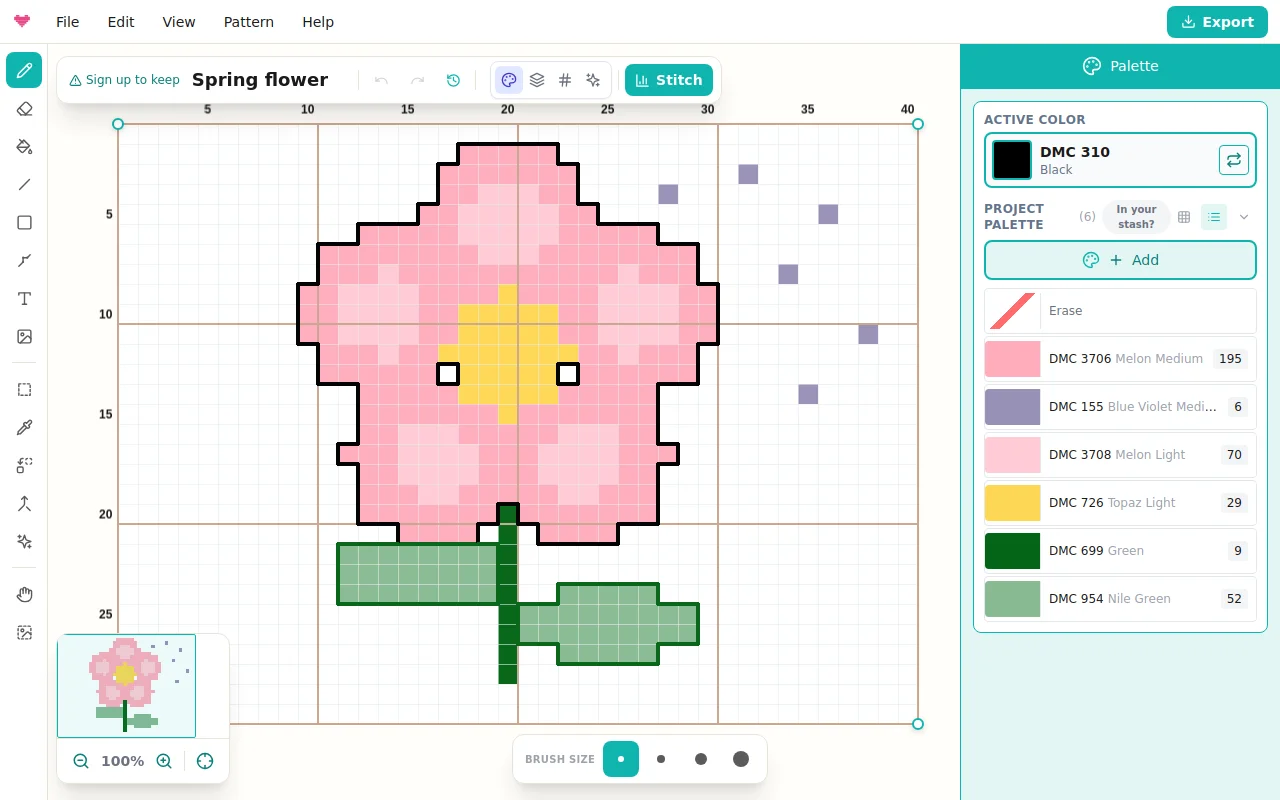
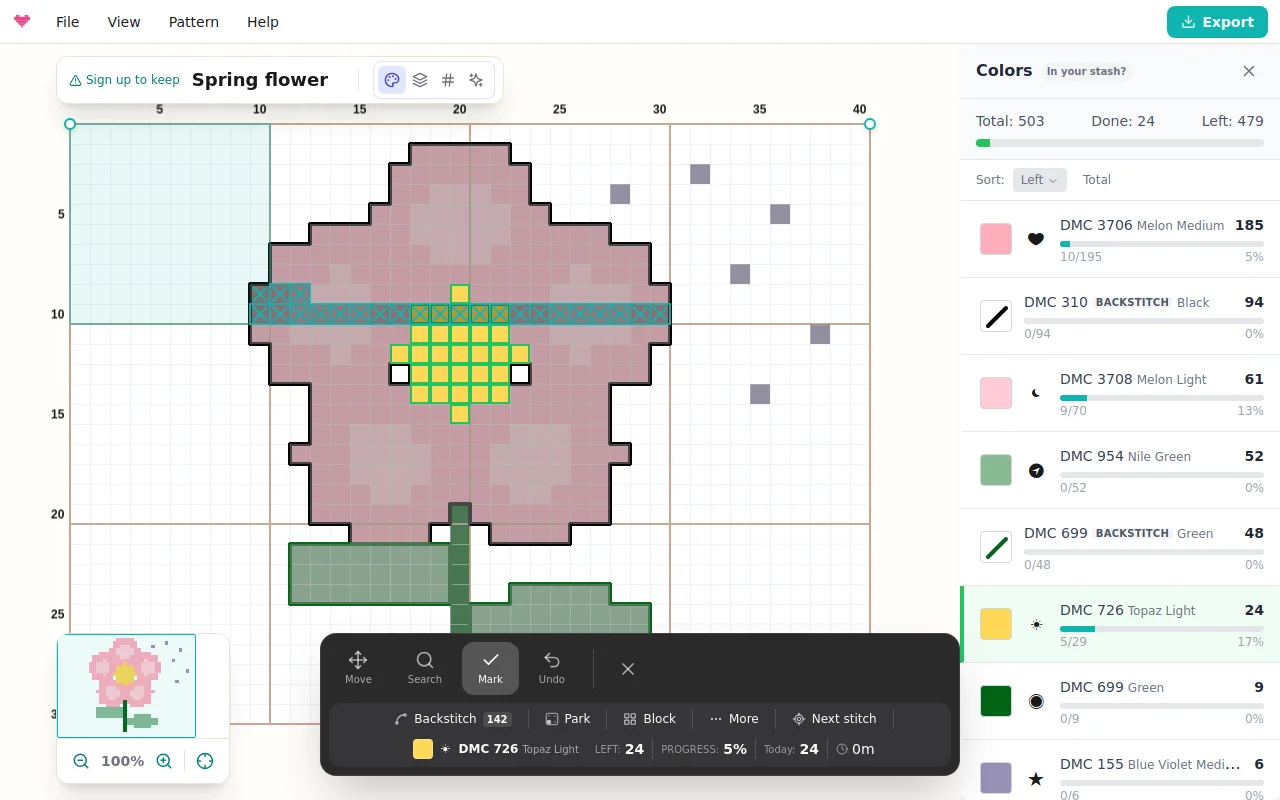
Below sit the Backstitch, Park, Block, Guide, Peek and More chips, your completion percentage, the stitches marked today and the session time. There is something quietly addictive about watching 34% become 35%.
Stitching one color at a time
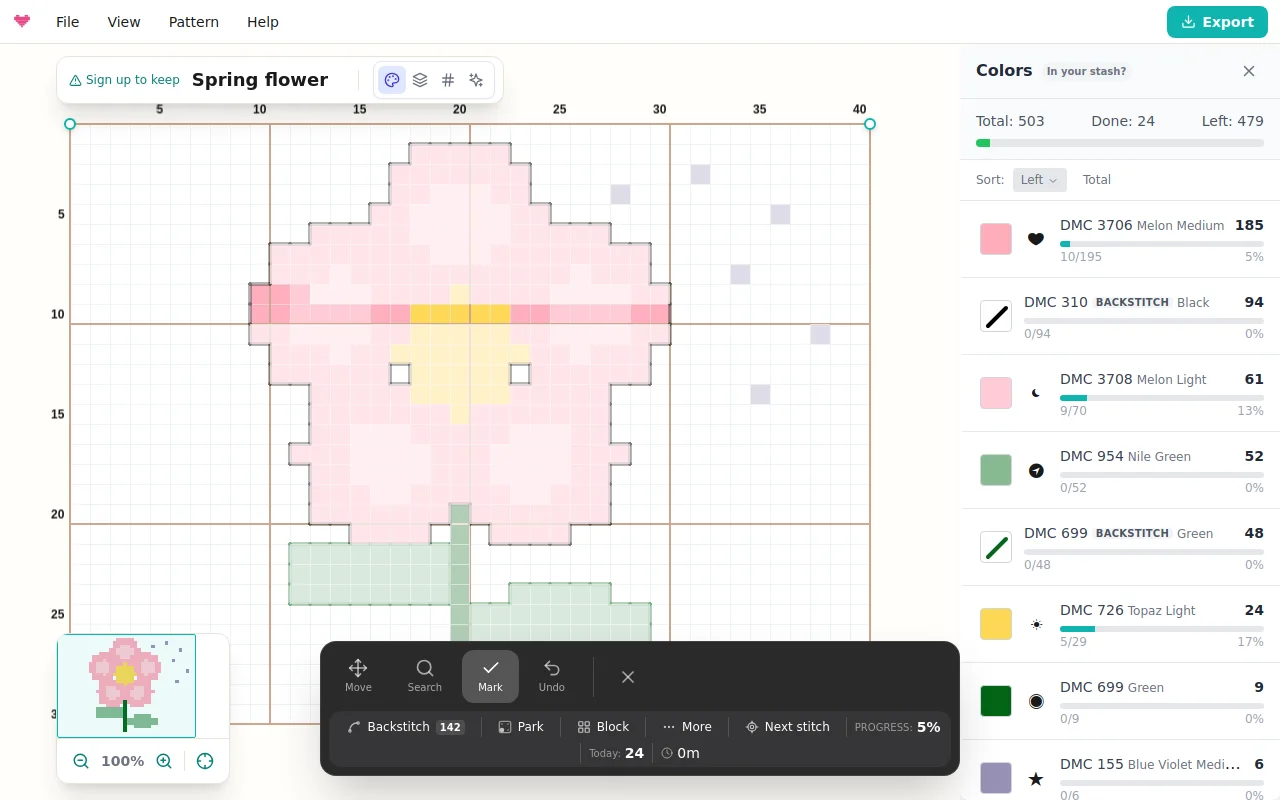
The color list (the side panel on a computer, the Colors button on a phone) shows every thread with its remaining count and a progress bar. On cross stitch patterns it also estimates the floss left (“about 2 skeins left”) from your fabric count and the strands set in Canvas Settings > Fabric. Pick a color to focus on it, mark its stitches as you complete them, and the tracker celebrates the moment a color is finished. Hide done keeps the list short on projects with dozens of threads, and Next stitch pans the chart to the nearest remaining stitch of your color, zoomed for marking. That last one is the lifeline on confetti-heavy patterns.
Following one row with the guide
Guide works like the magnetic ruler on a paper chart: your row is outlined, the rest of the chart dims a little, and the toolbar shows the row number and the runs of stitches left on it.
In Mark mode, tap or drag along the guide to mark stitches (a drag stays on it), and tap off it to move it to that row. Mark row marks every unfinished stitch on the guide, only your color if you follow one, and moves on to the next row with stitches left; Undo takes it back in one step. The arrows step the guide, and the turn button makes it a column. Press and hold Peek to see the finished design without your marks.
On a keyboard, L shows or hides the guide, Shift+L turns it, Enter marks the row and holding V peeks (see Help > Keyboard Shortcuts).
Picture or marks
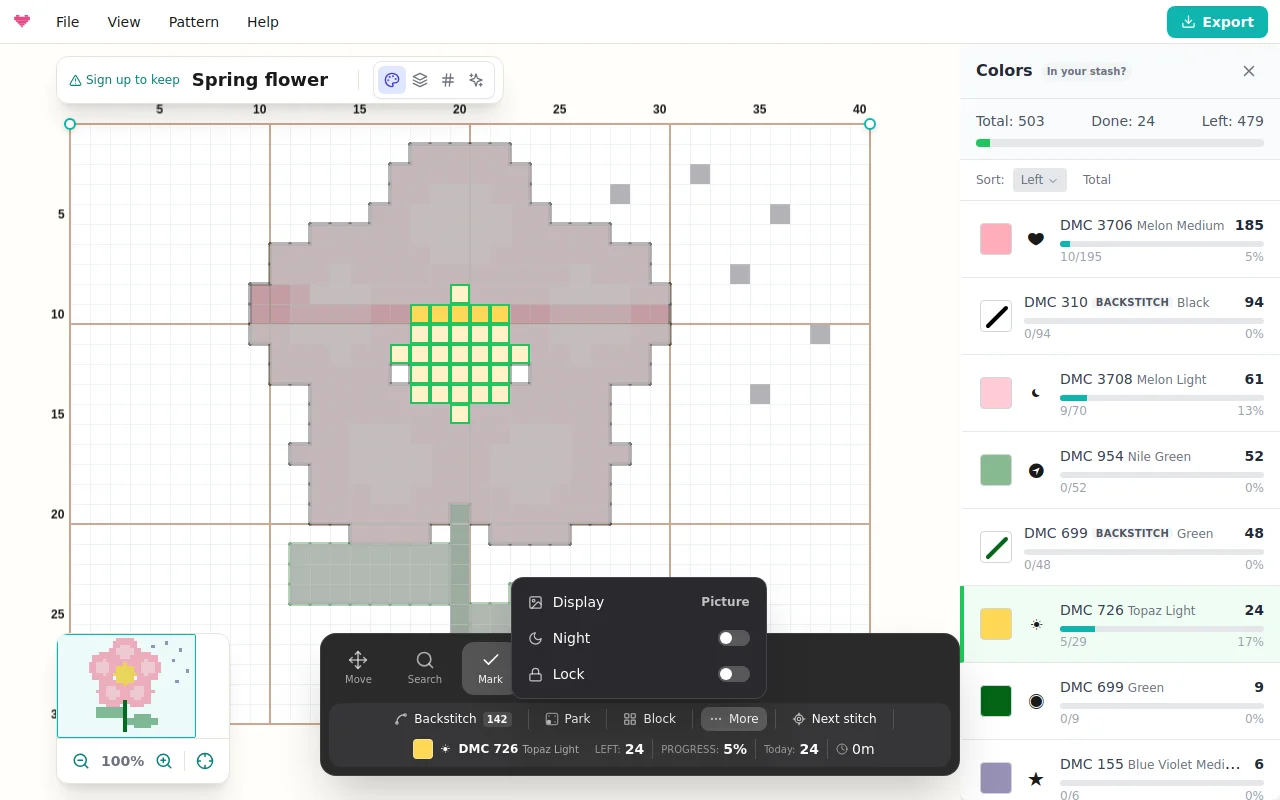
Two display modes decide how finished work looks. Picture fades every unstitched cell toward the fabric so the chart paints itself in thread color as you go. Marks keeps the classic look: the full-color chart with a check on every finished stitch and a tint over every finished 10x10 block. Switch with Display in the toolbar’s More menu, next to Night, Lock, Watch the replay and, on a computer, Open on phone.
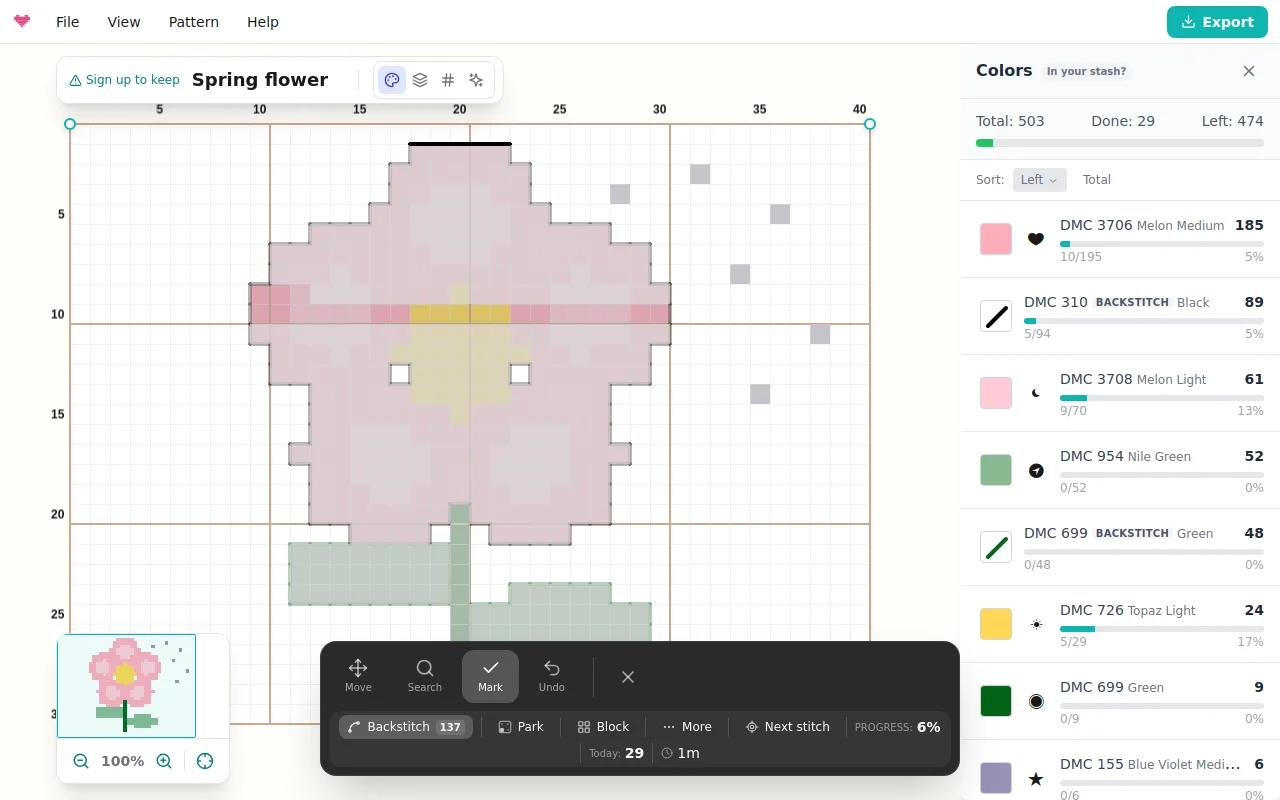
Backstitch
Outlines count too. Tap the Backstitch chip in the toolbar and taps now hit backstitch lines instead of cells: tap a line when it is stitched, or drag along a run of lines to mark them in one sweep. Backstitch shows in your progress percentage and gets its own rows in the color list, so “finish the black outlines” is a plan you can see through. Tap the chip again to go back to marking stitches.
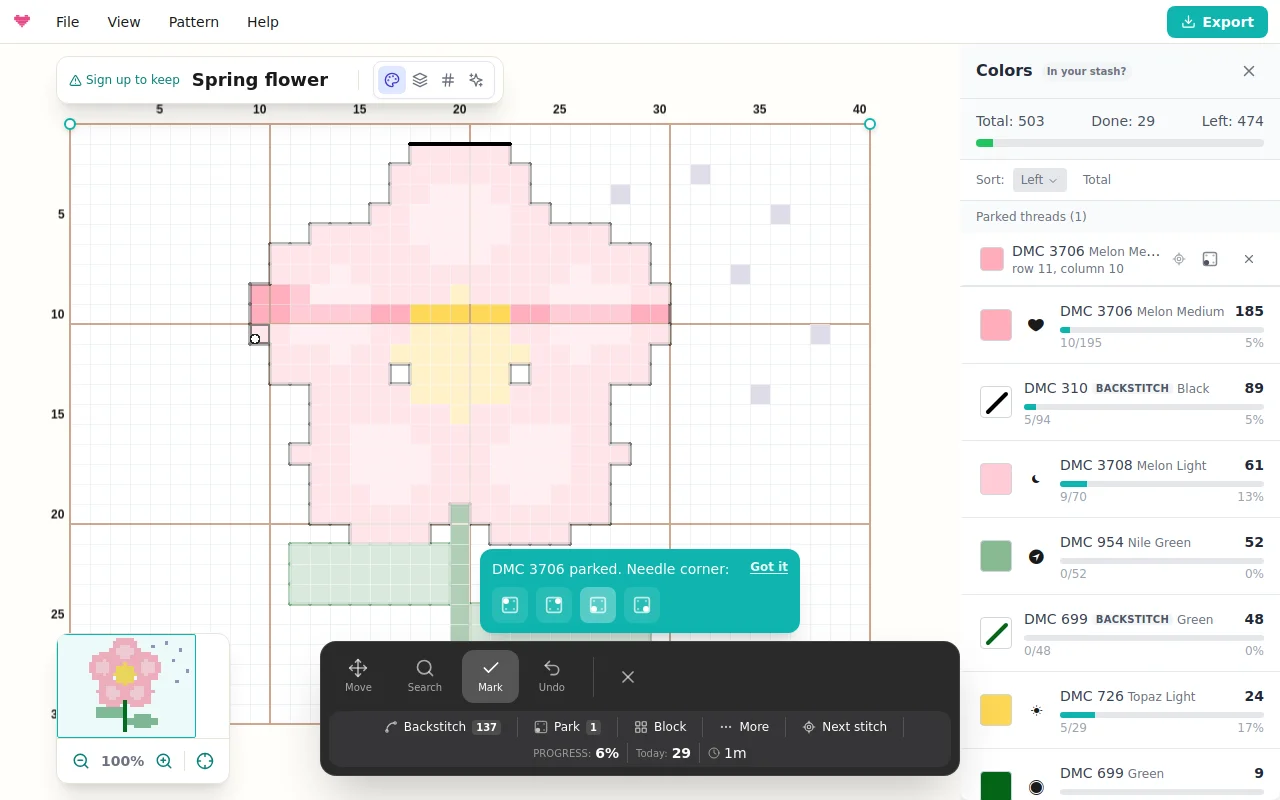
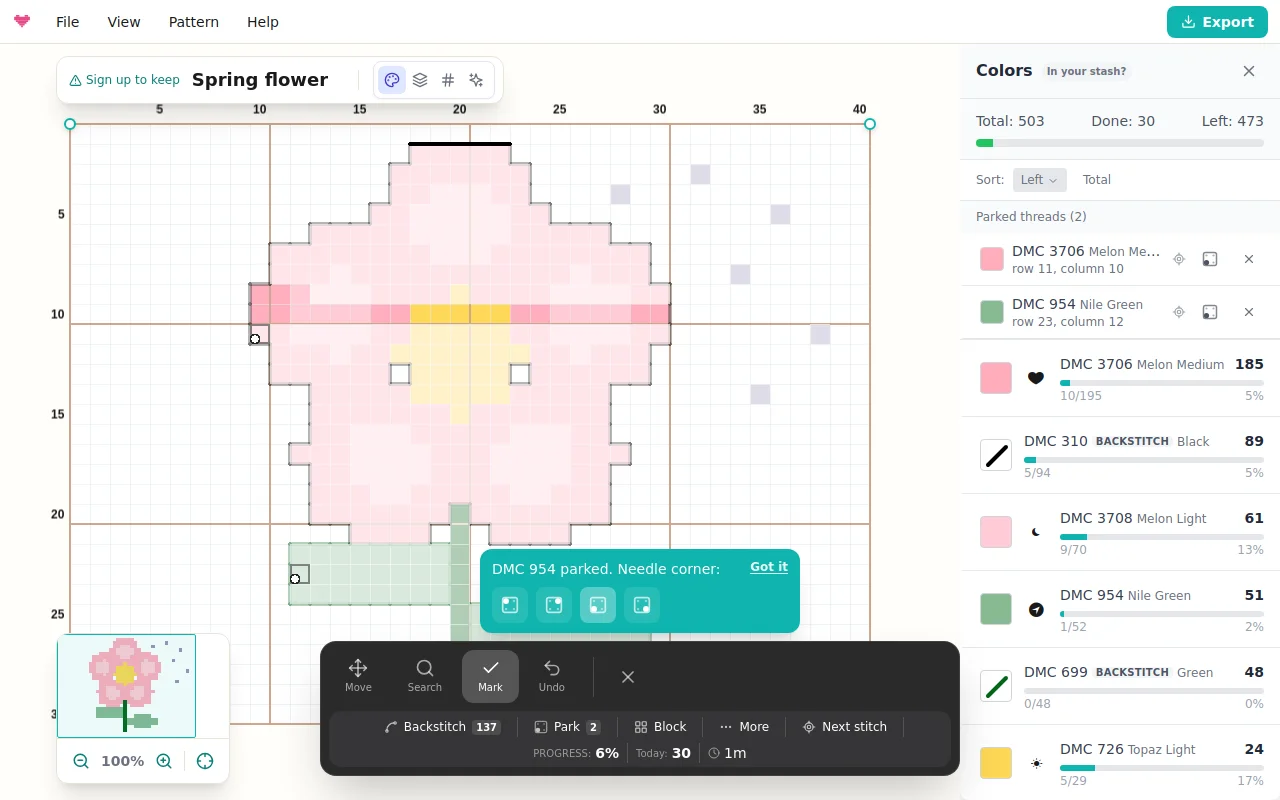
Parking
If you stitch full-coverage pieces with the parking method, the tracker keeps track of your needles. Tap Park, then tap the stitch where the needle comes up next. A small prompt lets you record which corner of the stitch the needle sits in; your choice becomes the default, so you set it once. Parked needles appear on the chart as dots in the recorded corner, and the color list keeps a Parked threads section with each thread’s row and column. Tap one to jump straight back to it with that color selected. Stitching a parked cell releases the park automatically, and Undo puts it back.
Bigger gestures, safer gestures
Block marks a whole 10x10 chart block with one tap: tap any stitch in the block and every remaining stitch in it is done. Tap a finished block to clear it. Lock makes finished stitches immune to stray taps, useful once the piece is mostly done and every tap risks unmarking something. Undo reverses your last gesture, whether it was a single tap or a long drag. Night darkens the chart and the toolbar for stitching in low light, with your marks and parked needles kept crisp.
Knitting charts
On a knitting chart, row 1 is the first row you knit, usually the chart’s bottom row. The toolbar shows the row, its side and stitch count, and the row in words, read in knitting direction (right-side rows and rounds from the right, wrong-side rows from the left), with arrows to step rows. Mark row moves the guide to the very next row, since every row is knitted, and colors go by yarn letters, such as Yarn A.
To knit without watching the chart, switch Chart to Counter at the top. The counter shows the row in words, the row after it and the row number in large digits; tap the counter when the row is done to mark it and move on. Undo takes back the last mark, and Done for today ends the session with its summary.
From your desk to your phone
The first time you track a saved pattern on a computer, a card shows a QR code; after that it is in More > Open on phone. Scan it, sign in with the same account, and the pattern opens in the tracker on your phone with your progress. You may then see a one-time tip for adding Knytstudio to your home screen. A PDF export of a saved pattern carries the same kind of code on its cover.
When the chart changes
Add or remove rows and columns, or Crop to selection, after you have started, and your marks move with their stitches the next time you open the tracker; a crop drops the marks outside it. A new photo import or Clear Canvas replaces the chart, so both warn you first that the tracker will start over. Sweater and garment pieces are not covered yet.
Sessions, pace and finish date
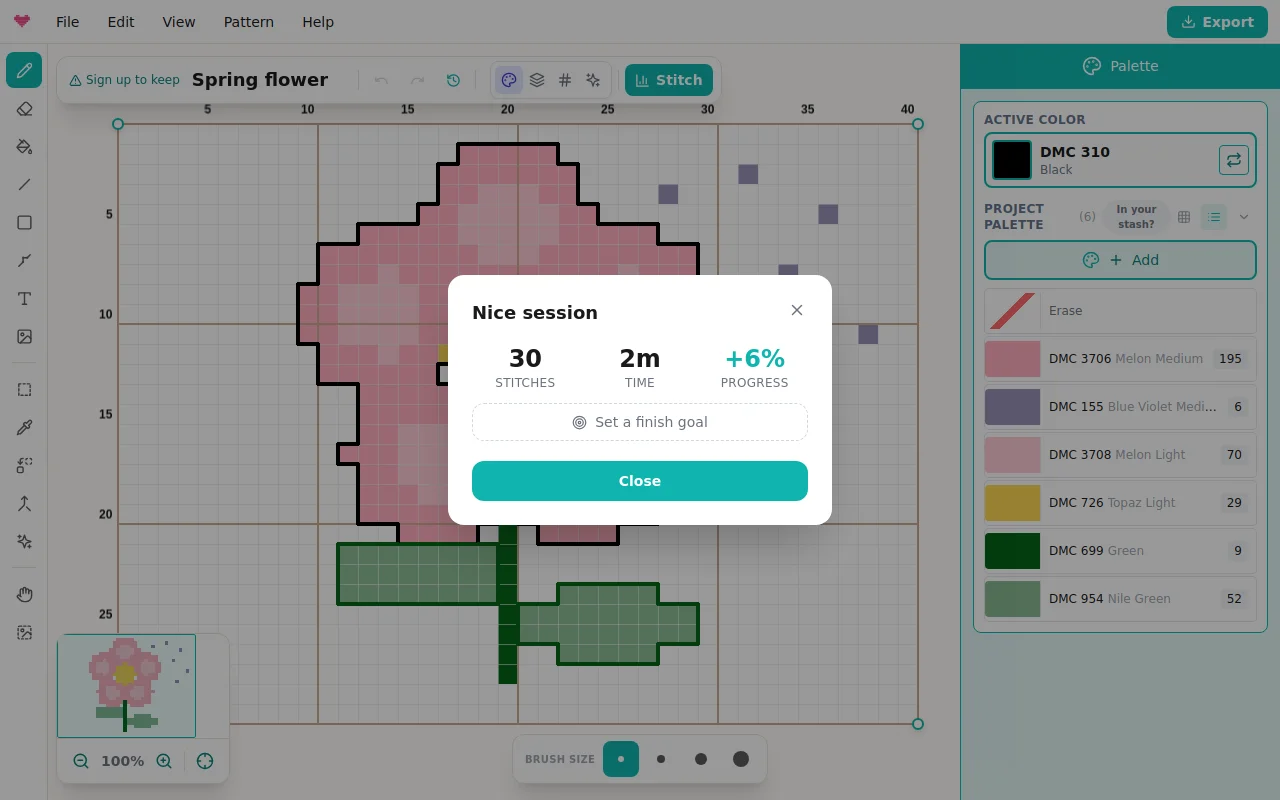
Tap Done when you stop. If you marked anything, a session summary shows what you did: stitches marked, time spent, progress gained, and a bar chart of your recent sessions. From your real pace it projects a finish date, and you can set a target date to see the daily pace that gets you there. Watch the replay plays your whole marking history back as a time-lapse, the chart painting itself gesture by gesture exactly as you stitched it. When the last stitch goes in, a celebration invites you to add a photo of the finished piece to the pattern page.
Why it beats paper
Paper charts get highlighted, lost, and re-printed. Progress here syncs to your account, zooms without losing your place, and never confuses which copy is current. Combined with a PDF export for the armchair-only crowd, your pattern works however you like to stitch.
Frequently asked questions
Is my progress saved between sessions?
Yes. Marked stitches, backstitch and parked threads are saved to your account, so you can stitch a few rows on the couch from your phone and continue on the tablet days later, exactly where you left off. Marks made offline are kept on the device and sync when you are back online. On a computer, More > Open on phone shows a QR code that opens the pattern's tracker on your phone.
Can I track progress on someone else's pattern?
Track your own copy: remix a community pattern into your library first, then start the progress tracker on it.
Does marking stitches change the pattern?
No, tracking is a layer on top. Your pattern stays untouched, and you can leave the tracker at any time.
Can I track backstitch?
Yes. Switch to the Backstitch target in the toolbar and tap a line when it is stitched, or drag along a run of lines. Backstitch counts toward your progress and has its own rows in the color list.
Can I track a knitting chart?
Yes. On a knitting chart the tracker counts rows from the first row you knit and shows each row in words, read in knitting direction. Switch to the Counter view to work from a large row counter: one tap marks the row and moves on to the next.
Is tracking free?
Your first pattern tracks free forever after you sign up. Further patterns can be unlocked individually, or go Pro for unlimited tracking on every device.
Try it yourself
The Knytstudio editor is free to use in your browser. No install, no signup needed to start.
Open the editor